
Astropad Standard3.7.1 - App Store
You'll be able to see results in few seconds.
Publisher Description
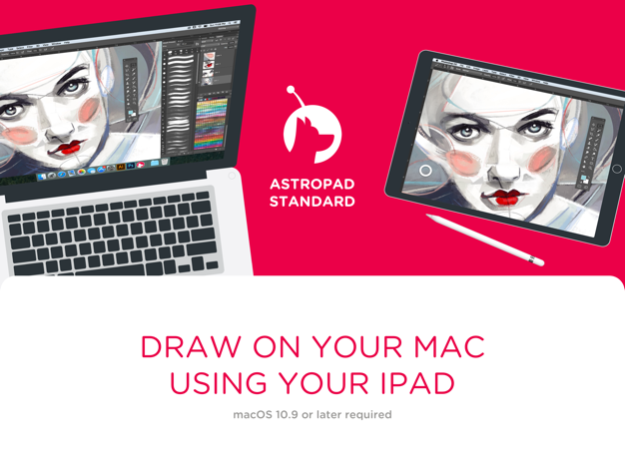
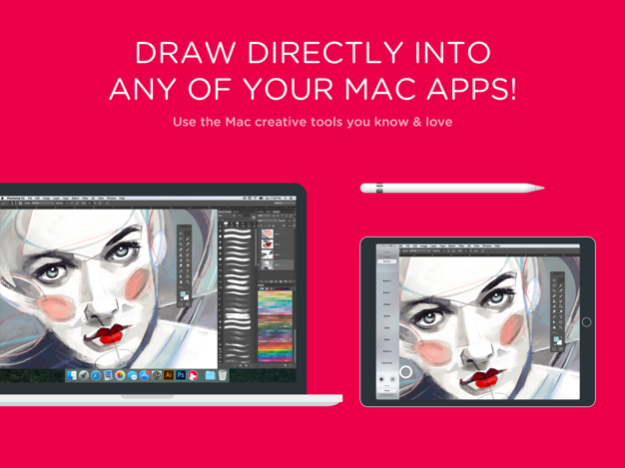

Use your iPad to draw on your Mac! Astropad allows you to use your iPad to draw directly into Photoshop and any other Mac creative tools, including: Photoshop, Illustrator, Lightroom, Affinity, Corel Painter, Manga Studio, Pixelmator, Mischief and any other Mac app you like!
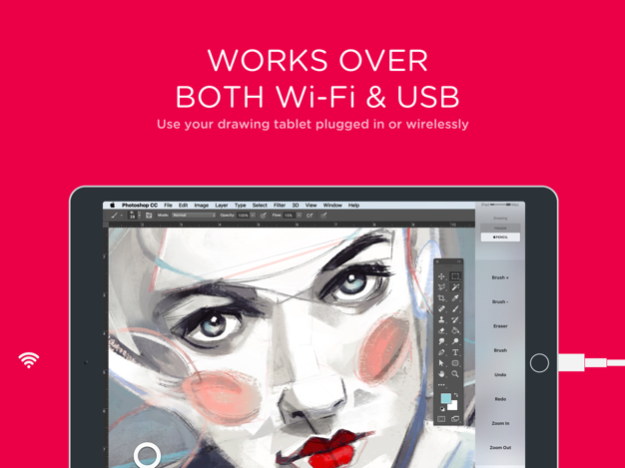
With Astropad, you get the high-end experience of a Wacom pen display at a fraction of the price. Connect wirelessly or over USB for complete creative freedom.
** Requires a Mac **
The Mac companion app is free and is available on http://astropad.com.
Watch our demo video at: http://astropad.com
Astropad Standard will remain free after purchase, with continual updates to improve performance.
Features:
• Provides a natural drawing experience
• Works with any Mac app
• Delivers unprecedented image quality, no compression artifacts
• Blazing fast, keeps up with your drawing
• Bursts to 60 FPS even over Wi-Fi
• Works wirelessly or over USB
• Supports Apple Pencil
• Pressure sensitive
• Customizable shortcuts
• True Retina resolution
• Accurate palm rejection
• Pinch to zoom and pan in your Mac apps
Great for:
• Illustration
• Sketching
• Painting
• Animation
• Photo
Supported Styluses:
• Apple Pencil
• "In short: it actually works." - The Verge
• "If you're a digital artist with an iPad, you need to give Astropad a try." - iMore
• "I found performance instantaneous with no lag time whatsoever." - The Next Web
• "Astropad's execution is much better...mirroring the display with zero lag and total reliability." - Gizmodo
• "Somebody should really go to Wacom HQ and make sure everyone's okay." - Uncrate
Creating Astropad required innovative new technology we call LIQUID. We tried existing technologies but none of them delivered the performance we demanded. So we developed LIQUID and we are now able to deliver incredible performance and image quality well beyond existing tools.
Powered by LIQUID technology
• 2x faster than AirPlay
• Better than the highest quality JPEG
• Designed specifically for Wi-Fi
Devices supported:
• iPad iOS 9.1 or later: iPad Mini 2 (2013+), iPad Air (2013+), iPad Pro (2016+), iPad 5th generation (2017+)
• All Macs with 10.11 or later
What our users are saying:
“I was debating on whether or not to get a Cintiq and decided to go with Astropad/ iPad Pro. Couldn't be happier!” Dante Terzigni, illustrator
“I love Astropad – it completely benched my Wacom tablet. The Wacom is forgotten in my bottom drawer and hasn’t seen the light of day since I installed Astropad.” Erkki Alvenmod, photographer
"Great, great, great. Need I say more?" - Sherri Nielsen
“It’s a go! The latency is nonexistent compared to a Cintiq. It’s much better in so many ways and your pockets will be much happier.” Dave Garcia, photographer
"It's completely revolutionized the way I animate in Flash and Photoshop." - Ronny K.
"I levitated out of my seat when I saw Astropad, having frequently lusted after a Wacom Cintiq for years but unable to afford it. Thank you much for developing this breakthrough app." - Mark G.
"OHMYGODILOVEYOU!" - Wayne Johnson
Get in touch:
· Support: support@astropad.com
· Instagram: @astropadco
· Twitter: @astropad
· Facebook: facebook.com/astropadco
Jan 17, 2022
Version 3.7.1
- Improved support for iPad mini (6th generation)
About Astropad Standard
The company that develops Astropad Standard is Astro HQ. The latest version released by its developer is 3.7.1.
To install Astropad Standard on your iOS device, just click the green Continue To App button above to start the installation process. The app is listed on our website since 2022-01-17 and was downloaded 0 times. We have already checked if the download link is safe, however for your own protection we recommend that you scan the downloaded app with your antivirus. Your antivirus may detect the Astropad Standard as malware if the download link is broken.
How to install Astropad Standard on your iOS device:
- Click on the Continue To App button on our website. This will redirect you to the App Store.
- Once the Astropad Standard is shown in the iTunes listing of your iOS device, you can start its download and installation. Tap on the GET button to the right of the app to start downloading it.
- If you are not logged-in the iOS appstore app, you'll be prompted for your your Apple ID and/or password.
- After Astropad Standard is downloaded, you'll see an INSTALL button to the right. Tap on it to start the actual installation of the iOS app.
- Once installation is finished you can tap on the OPEN button to start it. Its icon will also be added to your device home screen.
Program Details
System requirements
Download information
Pricing
Version History
version 3.7.1
posted on 2022-01-17
Jan 17, 2022 Version 3.7.1
- Improved support for iPad mini (6th generation)
version 3.7.0
posted on 2021-07-28
Jul 28, 2021 Version 3.7.0
- Performance improvements
- Improved compatibility with Luna Display
version 3.4.3
posted on 2020-09-24
Sep 24, 2020 Version 3.4.3
Enhanced support of iOS 14's networking features
version 3.4
posted on 2020-05-05
May 5, 2020 Version 3.4
· Performance improvements to Standard's underlying LIQUID video technology. You'll notice that Standard uses less CPU so your devices get longer battery life.
· General bug fixes and improvements
This update requires the latest version of the Standard Mac app. You can download the latest version at http://astropad.com/downloads
Questions or Feedback? Please email our technical support experts at support@astropad.com
version 3.3
posted on 2019-09-10
Sep 10, 2019 Version 3.3
- Support for the latest version of iOS
You can download the latest version of the Astropad Mac app at http://astropad.com/downloads
Questions or Feedback? Please email our technical support experts at support@astro-hq.com
version 2.0.4
posted on 2015-02-17
version 3.4.3
posted on 1970-01-01
2020年9月24日 Version 3.4.3
Enhanced support of iOS 14's networking features
version 3.4.3
posted on 1970-01-01
24 de sep. de 2020 Version 3.4.3
Enhanced support of iOS 14's networking features
Disclaimer
Official App Store Link
We do not host Astropad Standard on our servers. We did not scan it for viruses, adware, spyware or other type of malware. This app is hosted by Apple and passed their terms and conditions to be listed there. We recommend caution when installing it.
The App Store link for Astropad Standard is provided to you by apps112.com without any warranties, representations or guarantees of any kind, so access it at your own risk.
If you have questions regarding this particular app contact the publisher directly. For questions about the functionalities of apps112.com contact us.
